Eave keeps track of the small, recurring things your home needs, so you don't have to hold them in your head. When something is coming due, you'll see a gentle reminder, and when it involves a part like a filter, Eave gives you a head start on ordering it.
How reminders work
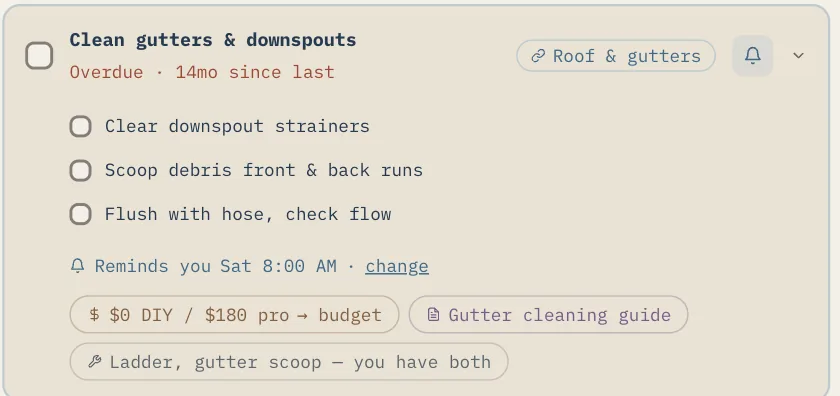
Eave builds your reminders overnight from what it knows about your home, your appliances, and your maintenance tasks. They gather in an Upcoming reminders panel, and each one falls into one of three kinds:
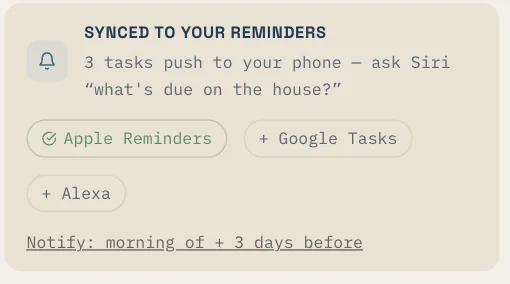
- Task due — a seasonal or recurring maintenance task that's coming up
- Reorder — a consumable part (like an air filter) that's running low
- Warranty expiry — an appliance warranty that's about to end
Reminders are meant to be helpful, not naggy. You can dismiss any one you don't need.
Where reminders come from
You don't have to set these up by hand. Reminders appear as Eave learns your home:
- Add an appliance in Systems & appliances, and choosing a known item (like a refrigerator, furnace, or water heater) auto-fills sensible maintenance reminders with part specs and intervals.
- Use Enrich with AI on an appliance to pull in filter specs and common maintenance tasks. Nothing is added until you click Apply to appliance.
- Import a manual or inspection report under Sources, and Eave can add the manufacturer's maintenance schedule as tasks.
Snoozing, completing, and scheduling
- Dismiss a reminder to clear it from the panel when you've handled it or don't need it.
- Mark the underlying task complete in Tasks to record that it's done and keep your Upkeep Score moving in the right direction.
- On appliance reminders, tap + Calendar to add the task to your maintenance calendar so it lands in your regular schedule.
One-tap buy links for parts
When a consumable reminder fires and you have none on hand, Eave shows a Buy: row with quick links. These make reordering the right part painless:
- Eave builds the search from the item name plus any specs it knows — for example, a filter size like *16×25×1 MERV 11*.
- You'll see up to three retailer links (Home Depot, Lowe's, Amazon, or Ace Hardware). Each opens a pre-filled search on that store's site in a new tab.
- There's no store login and no cart connection. Eave never asks for a retailer password. The links simply take you to a search with the part details already typed in, so you can check size and price yourself before buying.