Eave keeps a running record of the equipment that runs your home, so filter sizes, warranties, and upkeep are always a tap away. This article covers how to add an item, how Eave researches its specs for you, and how upkeep suggestions show up.
Where this lives
Open Systems & appliances in the sidebar (under Property). You can track three kinds of items here:
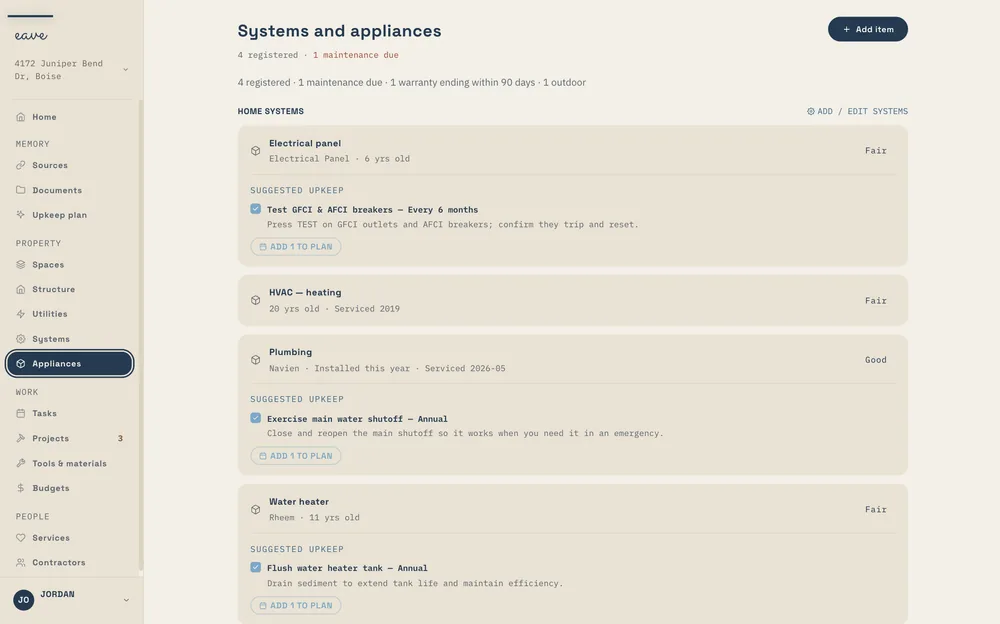
- Major appliance — refrigerator, dishwasher, washer, dryer, oven, and the like
- HVAC & mechanical — furnace, AC, heat pump, water heater, boiler, generator
- Outdoor appliance — grill, hot tub, pool equipment, irrigation, and more
Tools and materials live in the separate Tools & materials tab.
Adding an item
You have three ways to add something:
- By photo. Use the built-in assistant to snap a photo of the label or spec plate. Eave reads the model and serial numbers off the plate and fills in a draft for you.
- By text. Type a plain description (for example, "Rheem water heater in the garage") and Eave turns it into a draft.
- Manually. Fill in the form yourself.
When you pick a known item name, Eave auto-populates smart reminder presets — a part spec, how often it's due, and a suggested retailer.
How Eave auto-researches specs
On any item, tap Enrich with AI. Eave searches the web for that make and model and brings back:
- typical lifespan and warranty length
- the filter spec (for example, a 16×25×1 MERV 11 filter)
- current replacement cost
- common maintenance tasks
- an active-recall check — if a recall is found, you'll see a Recall active flag with a summary and a details link
Nothing is saved until you tap Apply to appliance. That's when Eave fills in any missing warranty date or model number and merges the suggested reminders. You stay in control of what gets written.
Each item also shows a live warranty status (expired, expires in X days, or time remaining), and the tab header summarizes what's due and what's expiring within 90 days.
How upkeep suggestions appear
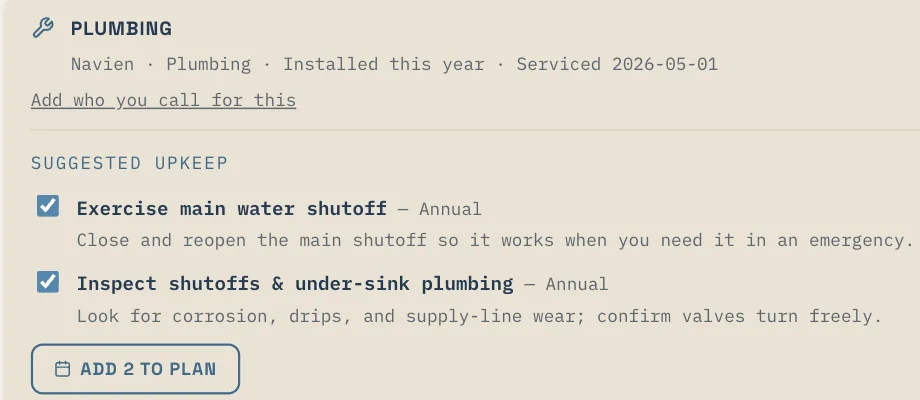
Under an item you'll see Suggested upkeep — curated maintenance templates drawn from your home's details. These are suggestions, not automatic changes: check the ones you want and add them to your maintenance plan.
Eave also builds reminders each night. When a consumable (like a filter) is due and you have none on hand, you'll see Buy links — quick searches at Home Depot, Lowe's, Amazon, or Ace, pre-filled with the exact spec (up to three retailers). These open a search on the retailer's site in a new tab. No store login, no account, no cart connection. You can also send an appliance reminder to your calendar with + Calendar.