The Property pages
Under Property in the sidebar you'll find five pages: Spaces, Structure, Utilities, Systems, and Appliances. Spaces are the rooms and the yard. The other four describe what the house is made of, who supplies it, what runs it, and what you'll eventually replace. This article covers Structure, Systems, and Appliances, and points to the Utilities article where they meet.
Structure
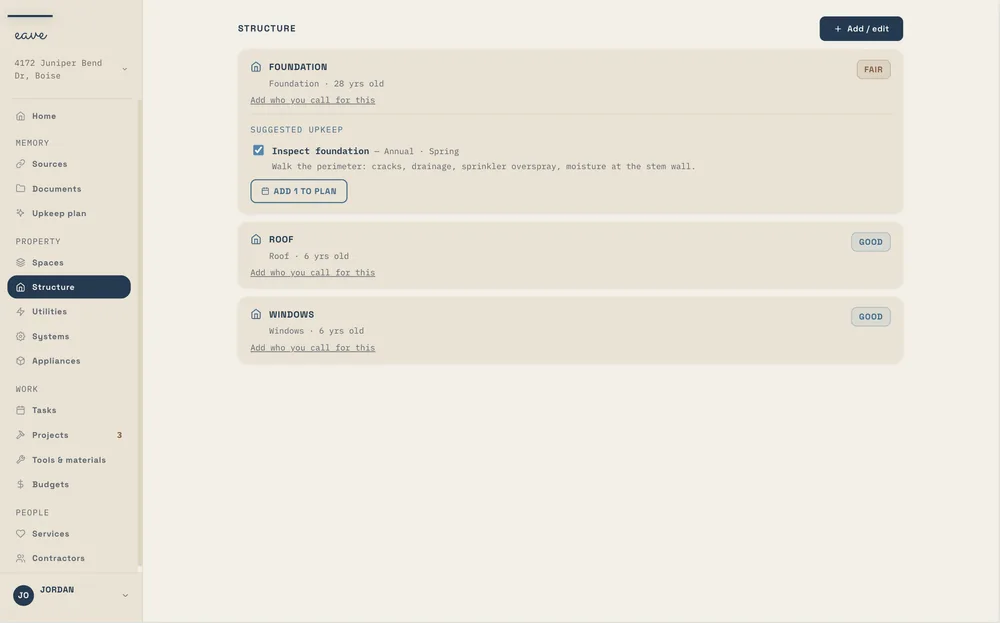
Structure is the shell of the house and the ground under it: roof, foundation, windows, exterior doors, garage doors, siding and exterior finish, chimney, gutters and drainage, retaining walls, fences and gates, driveway and flatwork, decks and patios, insulation. These get inspected and watched more than serviced, so each one carries an age, a condition, and a last-inspected date.
Systems
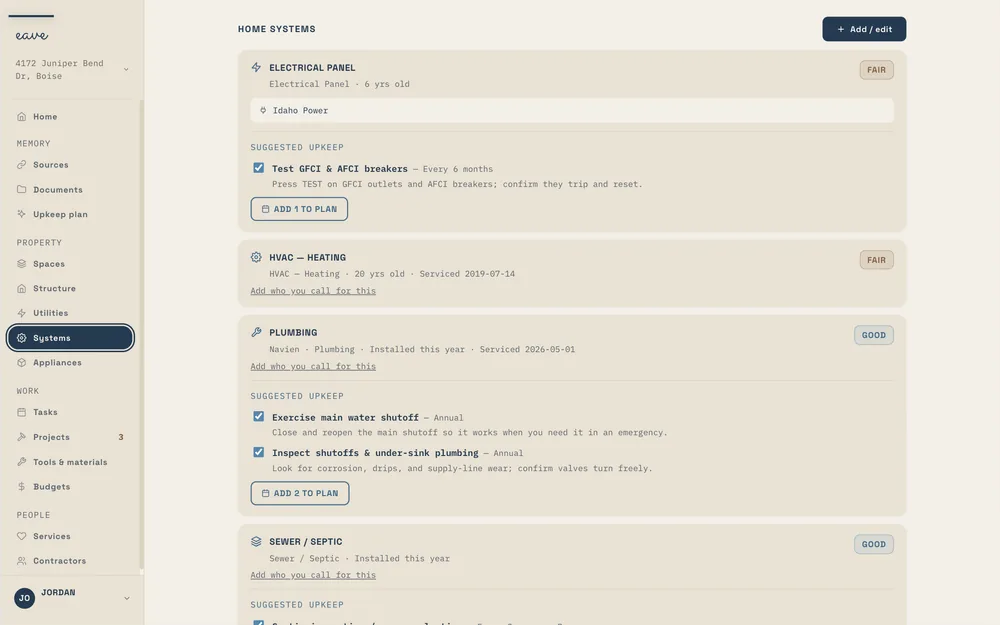
Systems are the equipment that runs the house: heating, cooling, combined HVAC, water heater, electrical panel, plumbing, sewer or septic, solar, generator, security and alarm, audio and media, lighting control, network and Wi-Fi, irrigation, fire and life safety, water treatment and softener, EV charging, pool and spa equipment, sump pump. Systems get serviced on an interval, so each one carries a service history and the consumables it needs, like a filter size.
Utilities
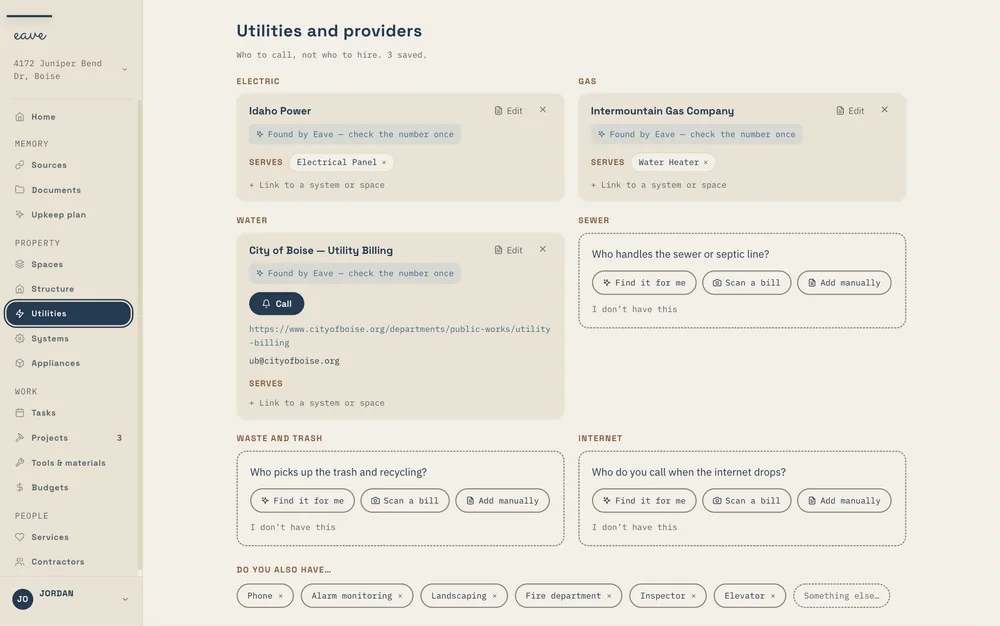
Utilities are the companies that supply the house: electric, gas, water, sewer, trash, internet, phone. They have their own page because they aren't equipment you own. Eave finds them from your address or reads them off a bill, and you can link each one to the system it feeds, so the electric company sits next to the panel. Details are in Utilities and services.
Appliances
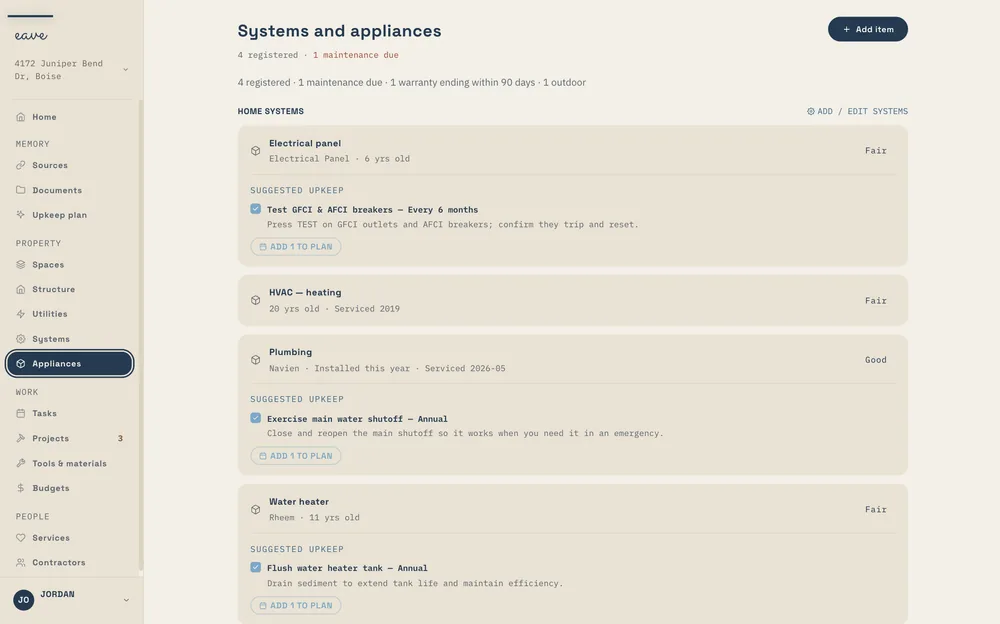
Appliances are the things you could carry out the door: the dishwasher, the range, the washer and dryer, the fridge. Each one keeps a model number, purchase date, warranty end, and service history. Enrich with AI looks the model up for you.
Adding something
The Structure, Systems, and Appliances pages share the same capture bar at the top of their add forms: talk, snap, or type. On Intelligence, a photo of a data plate fills the form. On Free, the photo is saved and you type in the fields. If you ran setup, most of these entries came from your paperwork before you opened the page.
Linking a provider to what it serves
A utility or a service can be linked to the thing it looks after: the electric company to the panel, the pool service to the pool equipment, the HVAC plan to the furnace. When something breaks, the record already says whose problem it is.